Posters, stickers and claim cards
Everything a visitor or a new resident touches is a printed piece: the poster on the door, the sticker on a glass door, and the claim card that gets a resident signed up. All three print from the panel with no other software.
The door poster
From a door's page choose Poster. The page is /doors/{id}/poster, A5 by default; the link at the top switches to A4 (?size=a4). It prints as exactly one sheet: set the printer to the matching paper size, no margins, 100% scale. Printing the poster is noted in the log.
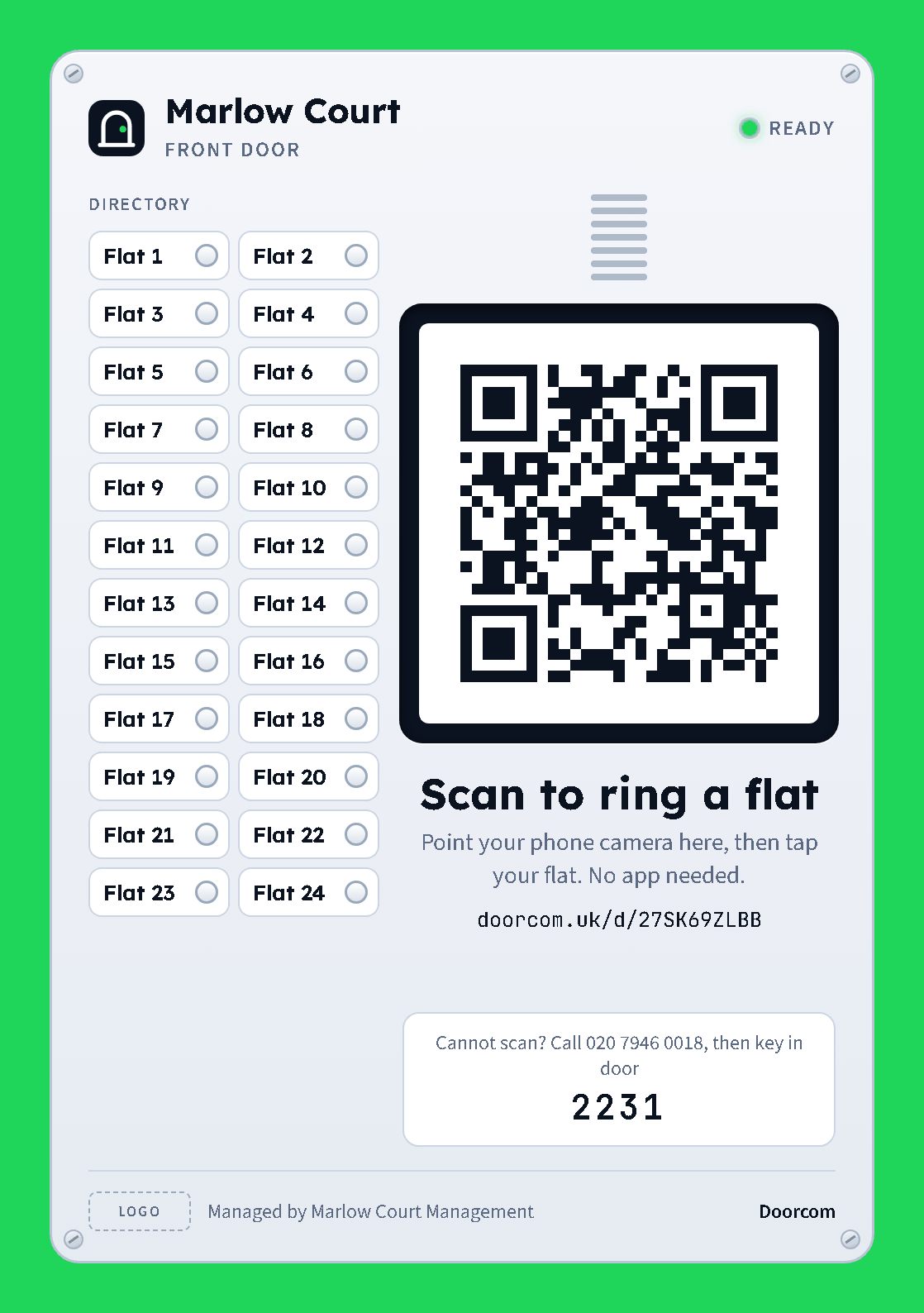
What is on it, top to bottom:
- The building name and the door name, with a green "ready" light. These come from the building and door pages.
- A directory of the flats this door rings, each with a round button, like the panel it replaces. Up to 14 flats fit in one column on A5 (20 on A4); up to 28 (40) go into two columns; beyond that the directory becomes one row, "Flats 1 to 93", with "Tap your flat on screen".
- The QR code, generated inside Doorcom (no outside service), set into a black screen bezel, with "Scan to ring a flat" and the short address underneath for anyone who would rather type it.
- A white plate: "Cannot scan? Call [phone line], then key in door [dial code]". The phone line comes from the building page; the dial code from the door page. Until they are set the poster shows placeholders in square brackets.
- A footer with the building's logo, "Managed by [landlord]" and the Doorcom name.
The door sticker
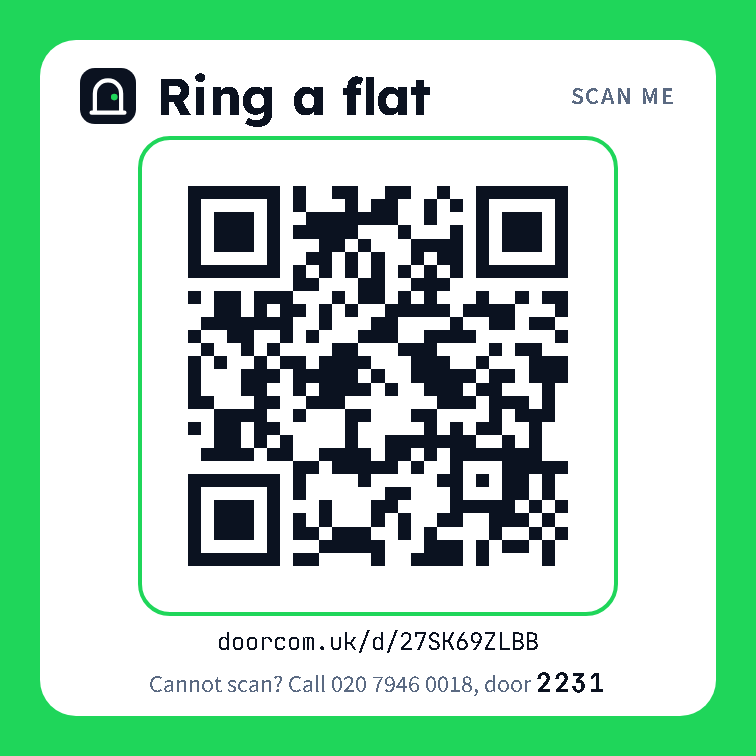
Sticker on the door's page (/doors/{id}/sticker) is a 100 mm square for a glass door or a gate: green surround, "Ring a flat", the QR code, the short address, the phone line and the dial code. Print it on adhesive paper or laminate it.
Claim cards
A claim card is how a resident signs up for a particular flat. Each flat has its own claim code (eight characters, no ambiguous letters) and its own QR pointing at /claim/<code>. The card shows the flat number, the QR, the code spaced in two groups, and three lines of instructions.
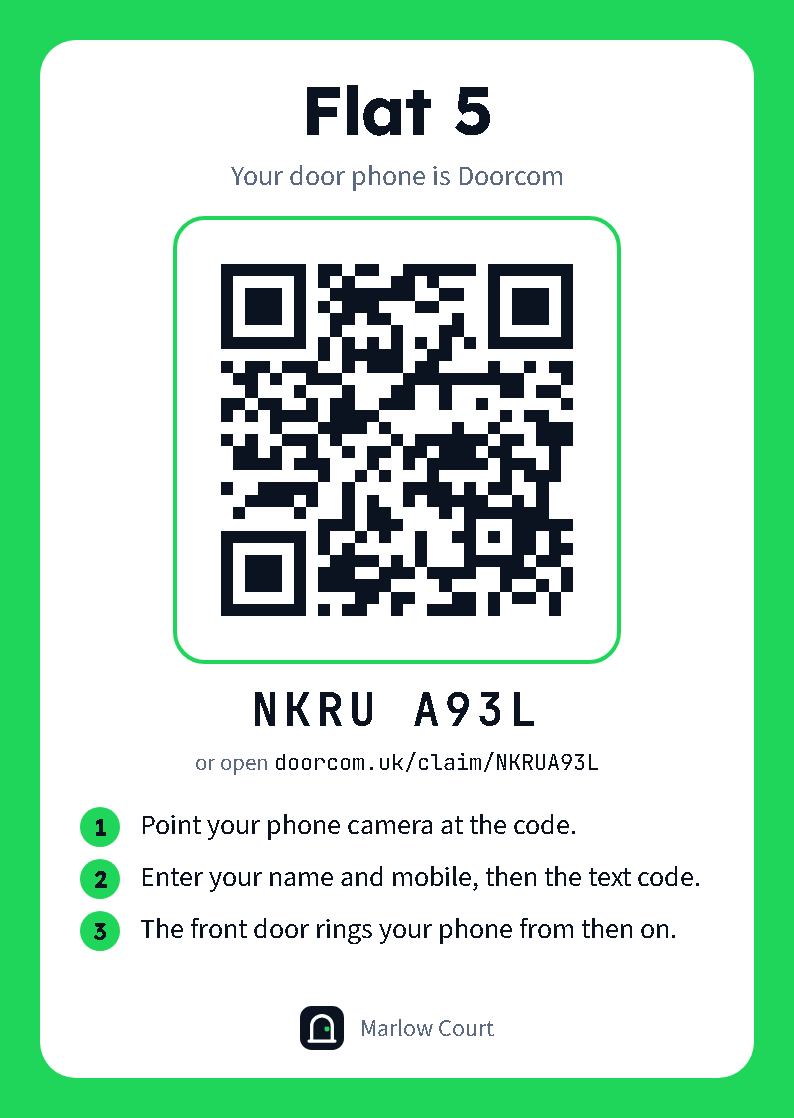
- One card: Claim card on the flat's row in Apartments, or from the sign-up dialog. Prints as one A6 sheet at
/apartments/{id}/card. - All cards: Print all claim cards at the top of Apartments,
/apartments/cards. Eight cards per A4 sheet, disabled flats left out. Cut along the lines and post them through the doors.
If a card goes astray, New claim code on the flat gives it a new code; old cards for that flat stop working. Residents who have already signed up are not affected.
Where the addresses come from
The QR codes and short addresses are built from the public URL: the DC_PUBLIC_URL environment variable, or the Public URL setting when that is unset, or the address the browser used when both are blank. Set it before printing anything, and check the address printed under the QR before you print 93 posters.