Billing
Doorcom is priced per property: 2.00 GBP a month for the door entry, then 0.50 GBP more where the issue tracker is switched on and 1.50 GBP more where letting management is, with a 15 GBP minimum per building. On the 1st of each month the invoice for every organisation paying by Direct Debit is raised in QuickFile, emailed, and put up for collection. The Billing page shows the numbers and the invoices.
What counts
Every property in the building, whether or not anybody has signed up for it. A property that is switched off does not count: that is for one being gutted, or one that turned out not to exist.
It used to be only the properties with a resident signed up. That was worse for everybody. It made the bill move for reasons nobody could see — a tenant leaves on the 30th and the invoice is different — and it quietly charged the landlord who was filling a block more the better they did. A number anybody can work out from the door plan is easier to check and harder to argue with.
The three lines
- 2.00 GBP a property, a month
- The door entry, which every account has: the poster, the bell page, rings to residents' phones, the door release, the resident portal, the status board and notices, messages, documents and the logs. Calls to residents' phones are included and there is no limit on doors.
- 0.50 GBP a property, a month, on top
- The issue tracker: problems reported with photos, issues becoming jobs, jobs going out to trades, the on-call rota for urgent ones out of hours, and the monthly reports.
- 1.50 GBP a property, a month, on top
- Letting management: tenancies with the rent invoicing itself, deposits and their protection, rate cards, the public listing, bookings, the calendar, turnovers, inspections and the Money page.
Both add-ons are switched on for the whole organisation under Settings, Organisation, and the price follows whatever is on there — turn one off and the next month is charged without it.
So a property is 2.00 GBP on its own, 2.50 GBP with the issue tracker, and 4.00 GBP with everything. Twelve properties with everything is 48.00 GBP a month; the same building with the door entry alone is 24.00 GBP. Anything that comes to less than 15.00 GBP for a building is charged at 15.00.
The website has a calculator on the Pricing page: put in the number of properties, tick the add-ons you want, and it gives the month and the year.
The invoices
On the 1st, every organisation whose Direct Debit mandate is active has its month's invoice raised in QuickFile against its client record, emailed by QuickFile to the billing address, and put up for collection against the mandate. One line per building: the properties it has at the rate its add-ons make, and a second line topping a small building up to the minimum. VAT goes on at the rate under Settings, QuickFile; the prices on the website are before it.
An organisation whose mandate went live during the month is not billed for a month it was mostly on trial for; its first invoice is the following 1st. An organisation with no buildings is not invoiced.
Nothing is raised twice. The invoice is recorded the moment QuickFile hands back its number, and a month that has a number is never raised again. If a step fails — QuickFile down, the token expired, a total that does not agree — the reason is shown against that month on the Billing page and the service tries again every hour until it goes through. A total that QuickFile works out differently from Doorcom is recorded and not sent: that one waits for a person to look.
A super sees every organisation's invoices on Billing, with Raise this month's invoices now to run the job by hand rather than wait for the hour. An owner sees their own, each with a link to view it. Collection can be switched off under Settings, in which case invoices are sent and the money is taken by hand.
The page
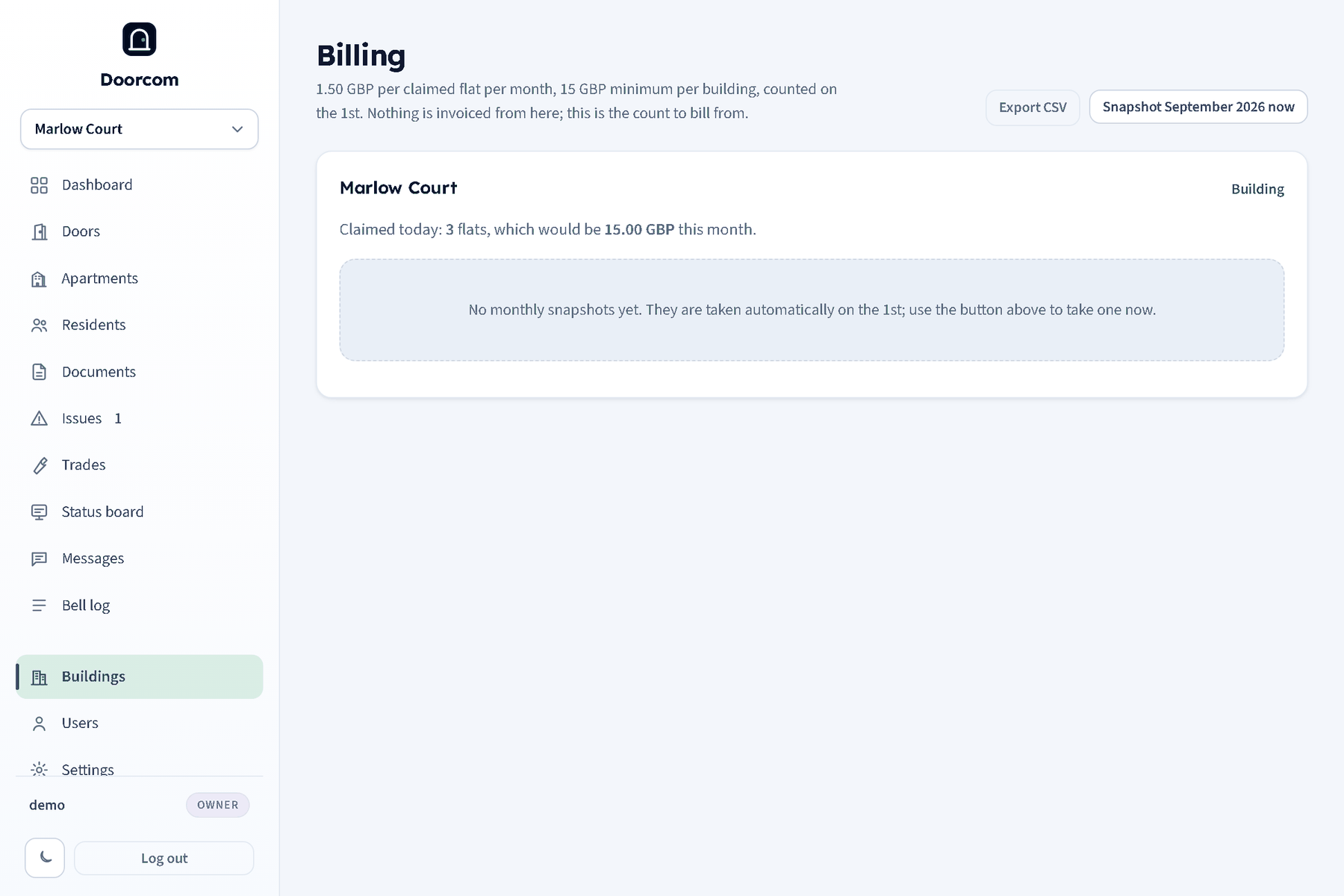
Billing (/billing, owners only, reached from Settings or the Buildings page) lists each building with how many properties it has now and what that comes to this month, how many of those have a resident signed up — which does not change the price — and then the last twelve monthly snapshots with their counts and amounts.
A snapshot is taken on the first of each month: the properties in each building, and which add-ons were on. Old months keep what they recorded, so a month billed the old way still reads true — including the months before the issue tracker was charged for separately, which read back without it. Snapshot billing now records this month by hand, and running it again in the same month overwrites rather than doubling up.
Download the CSV gives organisation, building, month, properties, which add-ons were on, and the amount: the shape a bookkeeper wants.
Getting paid
Doorcom does not invoice from this page. An account's own billing runs through QuickFile and GoCardless: the client record is made when the sign-up is approved, and the owner sets their own Direct Debit up from Billing — the button opens their billing area, where the mandate takes about two minutes. Each month's invoice is emailed before it is collected. Until the mandate is active the account runs as a trial and nothing is charged; an account that would rather have one invoice a year can have that instead. That is Doorcom's own money. The rent a landlord collects from their tenants is a different thing and lives in Money and payment accounts.