Flats and floors
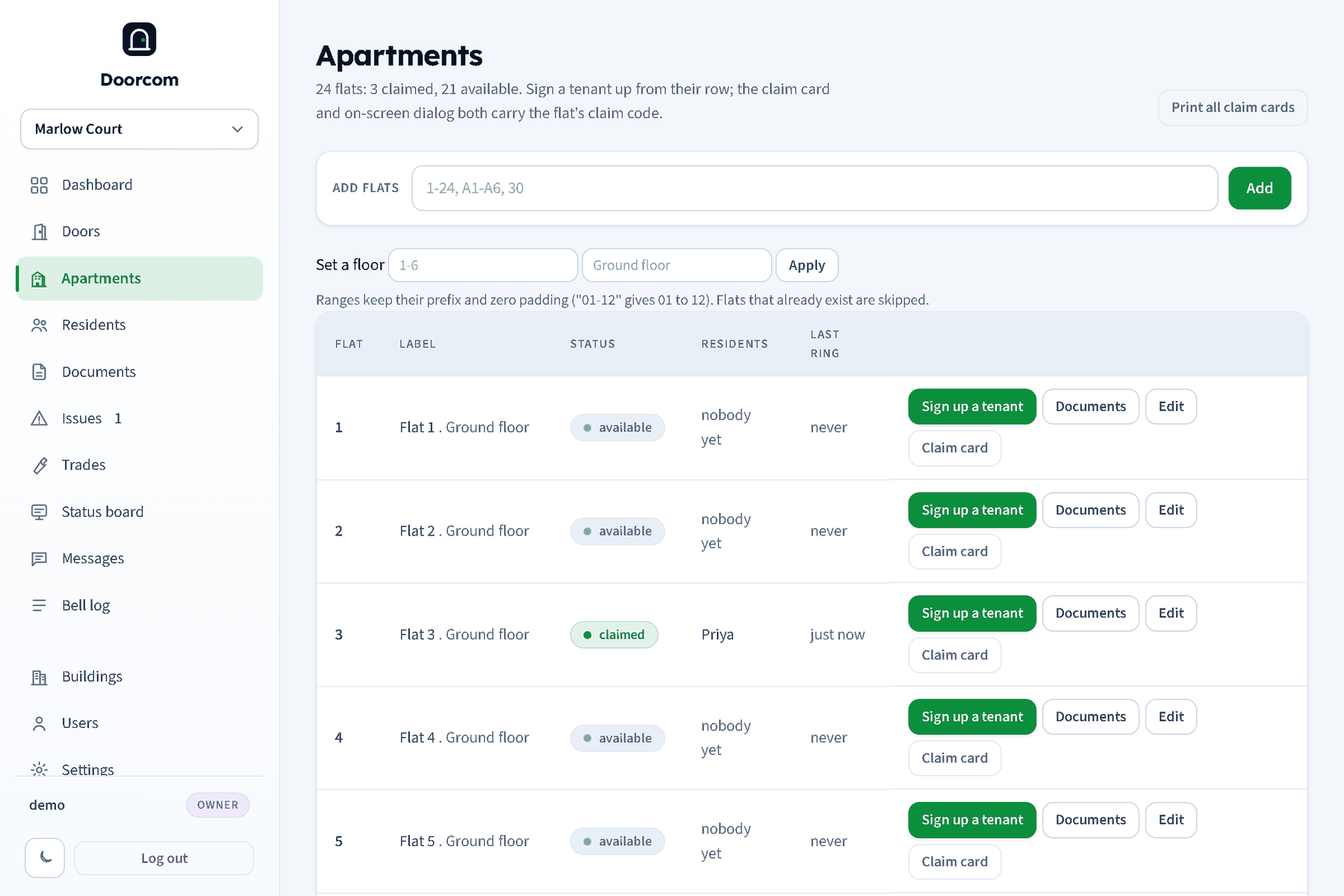
Flats are the buttons on the bell grid and the units residents sign up for. The panel calls them apartments. Each has a number, an optional label, a status, a claim code and an optional floor.
Adding flats
Type the numbers into Add flats and press Add. Any of these work, alone or in a comma list:
1-24: a plain range.A1-A6: a range with a prefix; the prefix is kept.01-12: zero padding is kept, so you get 01 to 12.30: one flat.
Flats that already exist are skipped and the message tells you how many were added. Numbers sort naturally in the grid and the tables (2 before 10, A1 before B1).
Label
The bell grid shows the number, and under it the label when there is one ("Caretaker", "Office"). With no label the poster and notifications say "Flat 12". Edit the label with Edit on the row. If the building's "show names" switch is on, residents' names appear under the number instead.
Status: available, claimed, disabled
- Available
- Nobody has signed up yet. The flat is on the bell grid, but a ring reaches nobody. It appears in the list a resident can pick from when claiming with a building-level code.
- Claimed
- At least one resident is attached. Set automatically when someone signs up; goes back to available when the last resident moves out. Claimed flats are what billing counts.
- Disabled
- Taken off the bell grid and off the claim cards; rings are refused and messages are not sent to it. Residents stay attached, so enabling it again is instant. Use it for an empty flat between tenancies, or a flat that has asked not to be rung.
You cannot force a flat with residents back to available; move the residents out instead (Signing residents up).
Claim codes
Every flat has an eight-character claim code, printed on its claim card and shown in the sign-up dialog. New claim code replaces it; the old card no longer works. Existing residents keep their access.
Floors
A floor is a name on a group of flats: "Ground floor", "First floor", "Basement". Set one for a range with Set a floor (numbers 1-8, floor "Ground floor") or one flat at a time in Edit. Leaving the floor blank clears it.
Floors are used by Messages ("One floor" as the audience) and shown next to the flat in the wizard's list. The message page suggests the floor of the reporting flat when you write to residents from an issue.
Documents per flat
Documents on a flat's row opens the documents page filtered to that flat plus the building-wide documents. See Documents for renters.
Deleting a flat
A flat can only be deleted when it has never been rung; otherwise disable it. Deleting removes its residents; documents filed against it stay on the Documents page.