An option. Bookings and the listing belong to letting management, which an organisation switches on under Settings, Organisation. A building that only lets by the year never needs them.
Bookings and the listing
The listing is one public page showing what is free between two dates and what it costs, which takes a reservation. It opens on its own address or drops into the landlord's own website. What it produces is a booking, and Bookings is where the office deals with it.
The listing
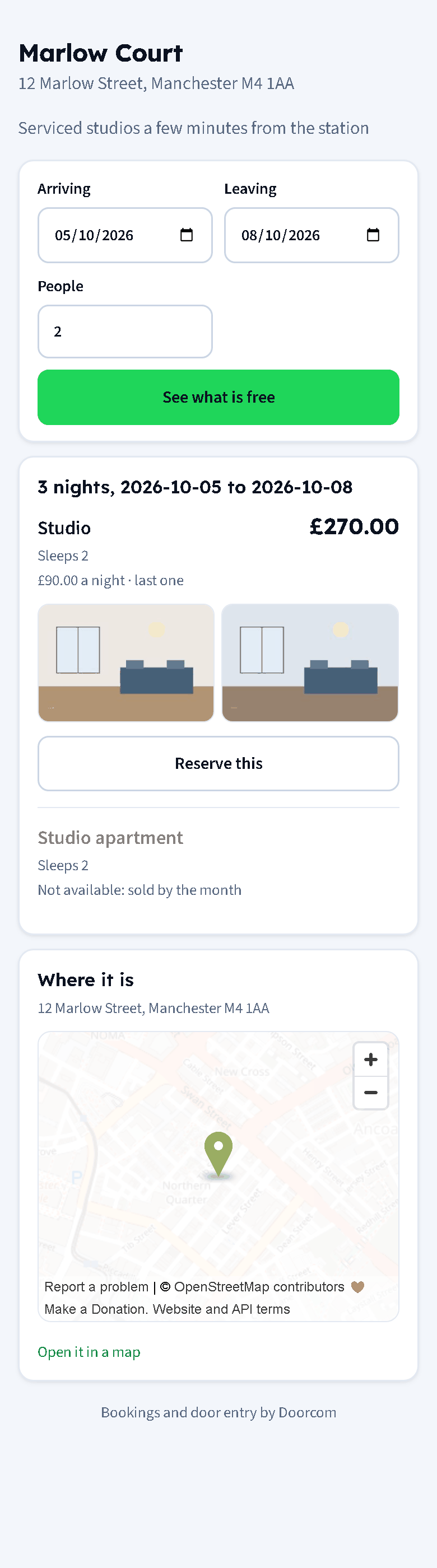
Switch it on under Rates, at the bottom of the page. Until then the address answers "nothing to show here", which is the right answer for a building that is not advertising.
Photos
Photographs hang off the rate card, because the card is what somebody books: a studio with three properties on it is one thing to photograph, not three. Open a card on the Rates page and there is a Photos section: add up to twelve, give each a line of caption, pick which one goes first, remove the ones that did not come out. Whatever the phone sends is re-encoded to a sensible size and a thumbnail, so a twelve megapixel original never ends up on somebody's website.
A photo can be tied to one property as well — the corner one with the better view — and those come first when that property is the one being offered.
The map
The listing shows the building's address and, when the building has coordinates on it, a map with a marker. Both come from Buildings; the coordinates are the same ones the door phone uses to work out sunset, so most buildings already have them.
The map is not drawn until a visitor presses Show the map. A listing sitting inside somebody else's website should not call a third party on every page view, and this way nobody is tracked for scrolling past. There is an Open it in a map link either way, which works from the address alone when there are no coordinates.
Searching
A visitor picks their dates and how many people, and gets one line per rate card: the name, what it sleeps, the price for those nights and how many are left. A card that cannot take the stay says why — fully booked, below its shortest stay, or sold by the week or the month when somebody has asked for three nights. Nothing is offered for a property somebody lives in.
Putting it in your own site
The Rates page gives you a line to paste into your own page:
<iframe src="https://app.doorcom.uk/s/your-building/embed"
        title="Availability" style="width:100%;min-height:760px;border:0"
        loading="lazy"></iframe>
The /embed view is the same page without the building's own header and footer, on a see-through background, so it sits inside your design rather than fighting it. It is a plain page: no scripts to add, nothing to keep up to date, and it works in any site builder that takes an HTML block.
Holding a property with a deposit
Under the listing settings:
- Deposit to reserve
- A fixed amount, or a share of the stay as a percentage. Leave both blank and a reservation is simply a request for you to answer.
- Hold it for
- How long the dates are kept while the money comes. A reservation nobody pays for is cancelled after that and the nights go back on sale, checked every hour.
- Soonest booking
- How many days ahead the first bookable date is, for a building that cannot take somebody arriving this afternoon.
Reserving gives the guest a reference, what the stay costs, what holds it, and the building's bank details with the reference to quote — the same account the property is routed to in Settings, Payments. Doorcom does not take the card itself. Taking somebody's money is a promise about their money, and it waits until the account behind it is properly wired up; the reservation is honest about that, and so is the page the guest sees.
Meanwhile the booking is held: those nights are off the market for everybody else from the moment the guest presses the button.
Bookings
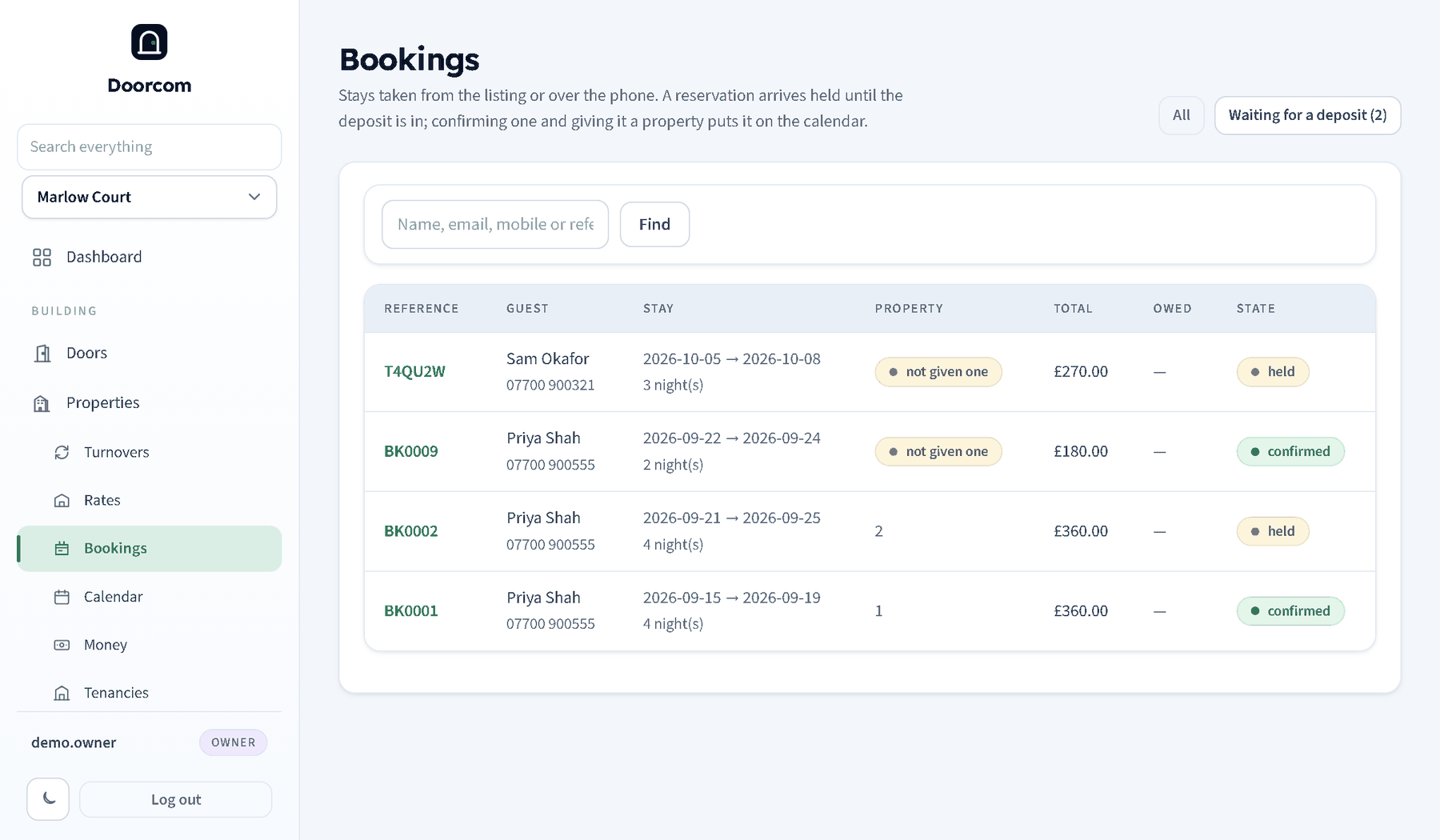
Every stay in the building, upcoming by default, with All and Waiting for a deposit as the other two views, and a search over name, email, mobile and reference. A managers' notification goes out when a reservation lands.
Opening one gives you:
- Confirm, Check in, Check out and Cancel, one button at a time in the order they happen. Cancelling puts the nights back on sale.
- The property. A booking is sold against a rate card, not a particular home, so somebody has to say which one. The picker only offers properties on that card that are free for those nights and have nobody living in them. A booking without a property is not on the calendar, so do it before the guest arrives.
- Money. The deposit invoice is already there; Invoice the rest of the stay raises the balance, standard-rated for VAT as a short stay is. Recording the deposit against a held booking confirms it, because that is what the guest was told would happen.
From there it is on the calendar like anything else.