An option. Inspections come with letting management, which an organisation switches on under Settings, Organisation.
Inspections and checklists
A checklist on a phone, filled in one item at a time with notes and photographs. What fails becomes a problem on the issues list; what is signed off becomes a document the tenant can open. Nobody types it up afterwards.
The checklists
Three come with Doorcom: Check-out, Check-in and Block walk-round. They are a decent starting point — keys, meters, walls, kitchen, bathroom, alarms for a property; entrance, lighting, fire doors, bins, lift for a block.
Open Inspections, then Edit checklists, to change them. The built-in ones are shared by every building on Doorcom, so saving one keeps a copy for your building and leaves the original alone: your wording is yours, and nobody else's paperwork moves because you tightened yours.
Write your own with one item per line. A line that is only a word and a colon names a section for the lines under it, and Section: item does the same on one line, which is what makes a walk-round readable:
Entrance:
Door closes and locks
Entry poster present and clean
Fire safety:
Fire doors close
Extinguishers in date
Each checklist has a kind: check-out, check-in, walk-round or custom. The kind is how Doorcom knows which one to reach for — a turnover starts the building's check-out checklist by itself — so keep the kind right even when you rename the thing.
Starting one
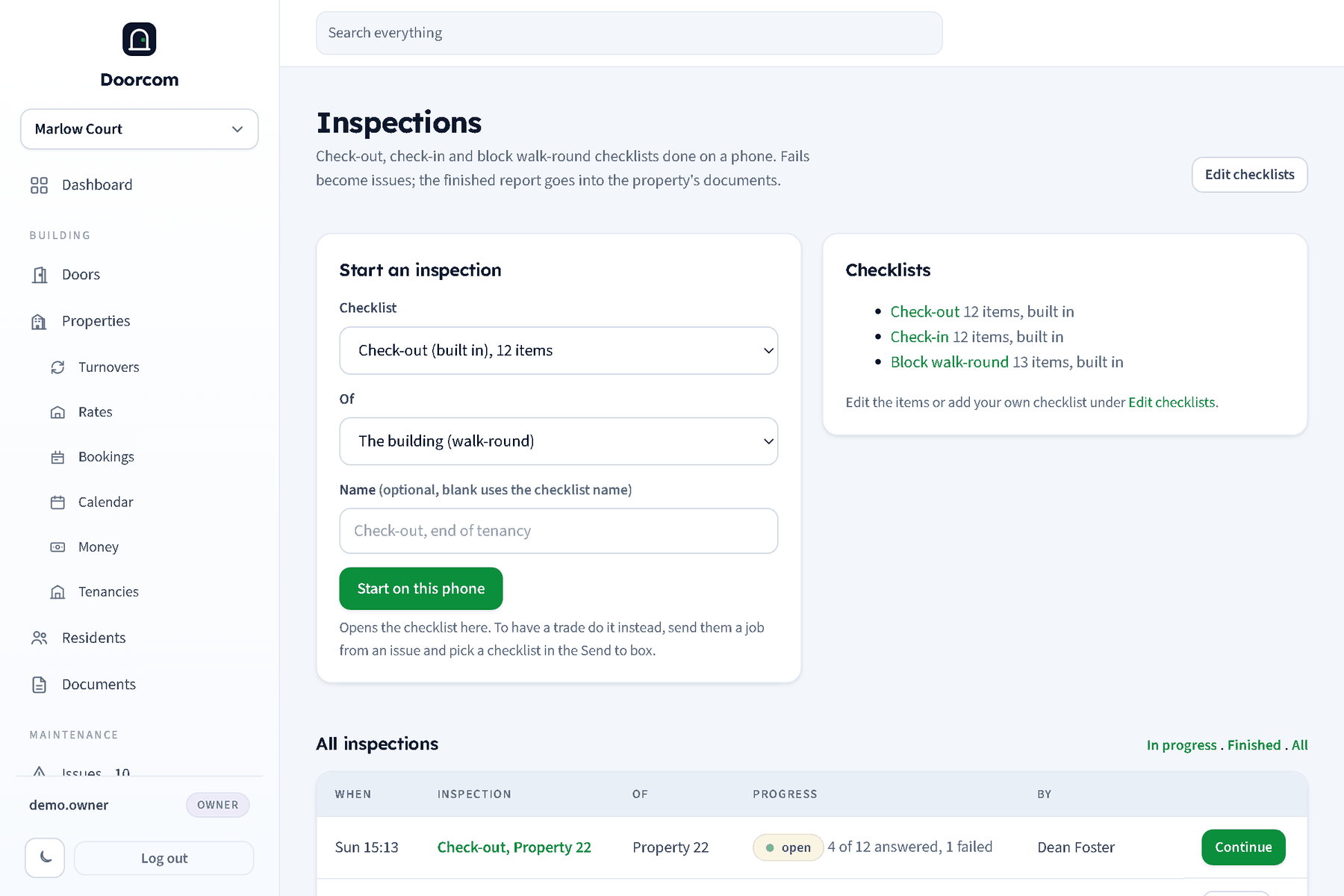
On Inspections, pick a checklist and what it is of: a property, or the building itself for a walk-round. The list shows what is open and what is finished, with how many items were answered and how many failed, and it filters to one property.
Booking it, and asking the tenant
An empty property is inspected whenever somebody is standing in it, so the check-out at the end of a tenancy needs no arranging. A property somebody lives in is different: in England a landlord has to give at least 24 hours' notice and come at a reasonable time, and a visit nobody agreed to is a wasted journey.
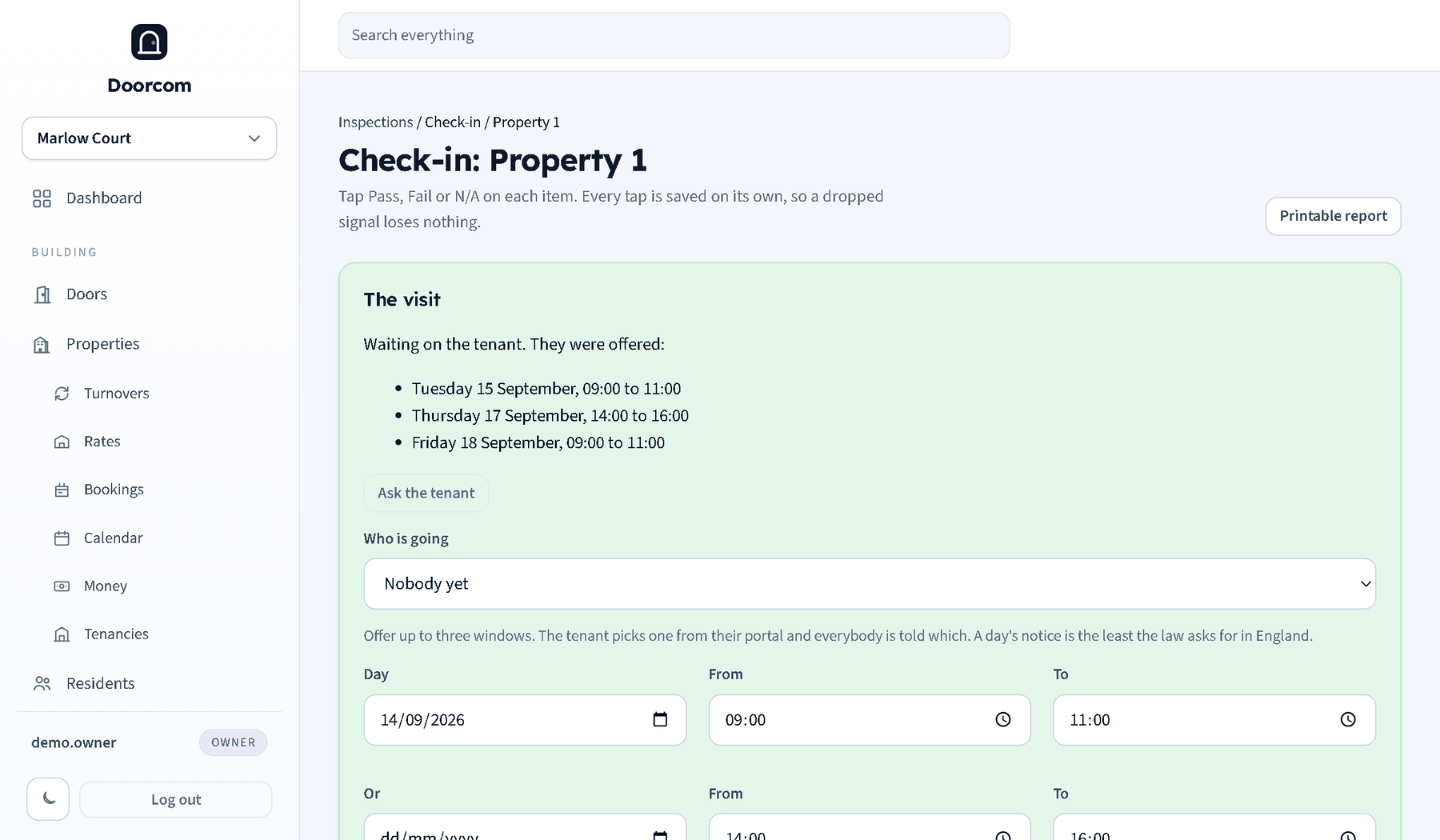
So an open inspection of an occupied property has a The visit block. Pick who is going — any login of the building — and offer up to three windows, each a day and a from and to time. The date box will not go back past tomorrow.
Ask the tenant sends them the times by text, email or Telegram, whichever they have, and puts the choice in their portal: three buttons and a None of those suit me. Picking one books it, tells the managers who has agreed to what, and writes it in the change log. Refusing tells the managers to offer some others, and the inspection stays open and unbooked.
Where nobody lives — or the tenant agreed on the telephone — the block says Book it instead: one window, no asking. The residents are still told, because somebody letting themselves in unannounced is how a good landlord loses a good tenant.
What is booked shows in the inspections list with who is going, and on the dashboard: visits waiting on a tenant, and inspections due today or before, which is the one that catches a visit nobody made.
None of this stops anybody starting an inspection and doing it there and then. The booking is for the ones that have to be arranged.
Doing one
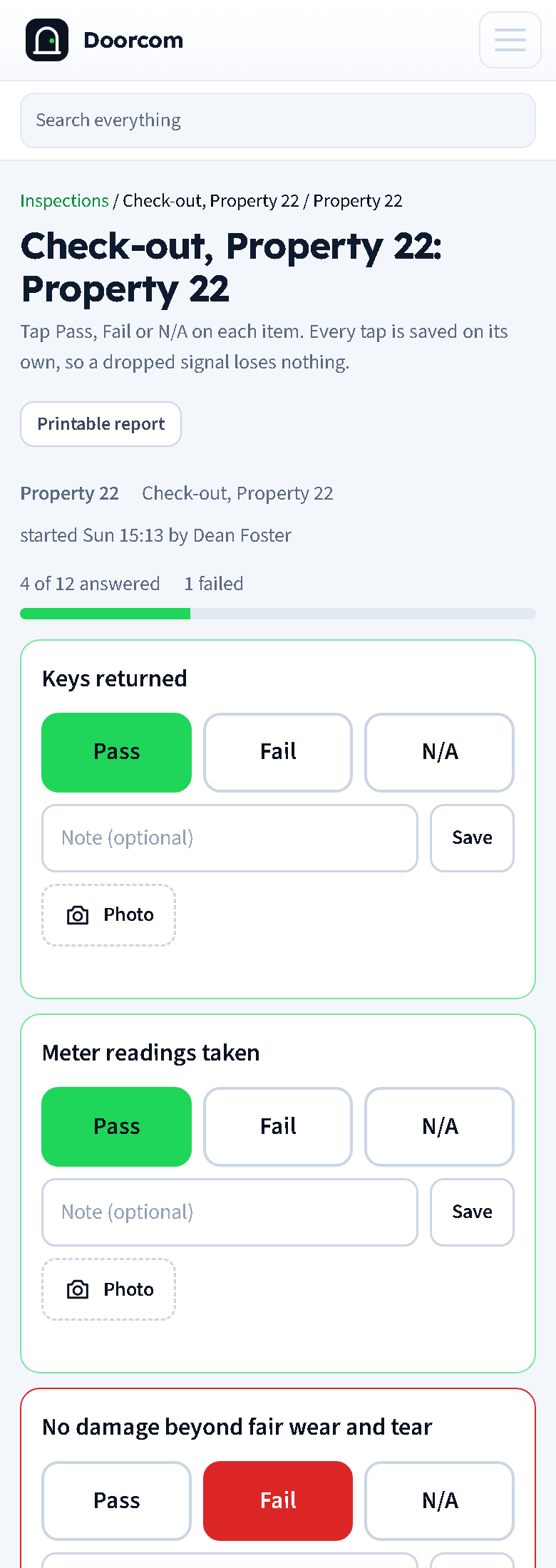
Every item takes pass, fail or not applicable, a note, and as many photographs as you like. Each tap saves on its own, so a phone that loses signal in a basement loses one tap rather than an afternoon, and two people can work down the same list from different rooms.
Meter readings — electricity, gas, water and one spare — take a number and a photograph of the meter, which is the bit people argue about later.
At the end, type the name of whoever is signing it off, with any closing notes. Urgent marks everything raised from this inspection as urgent, which out of hours reaches whoever is on call.
What finishing it does
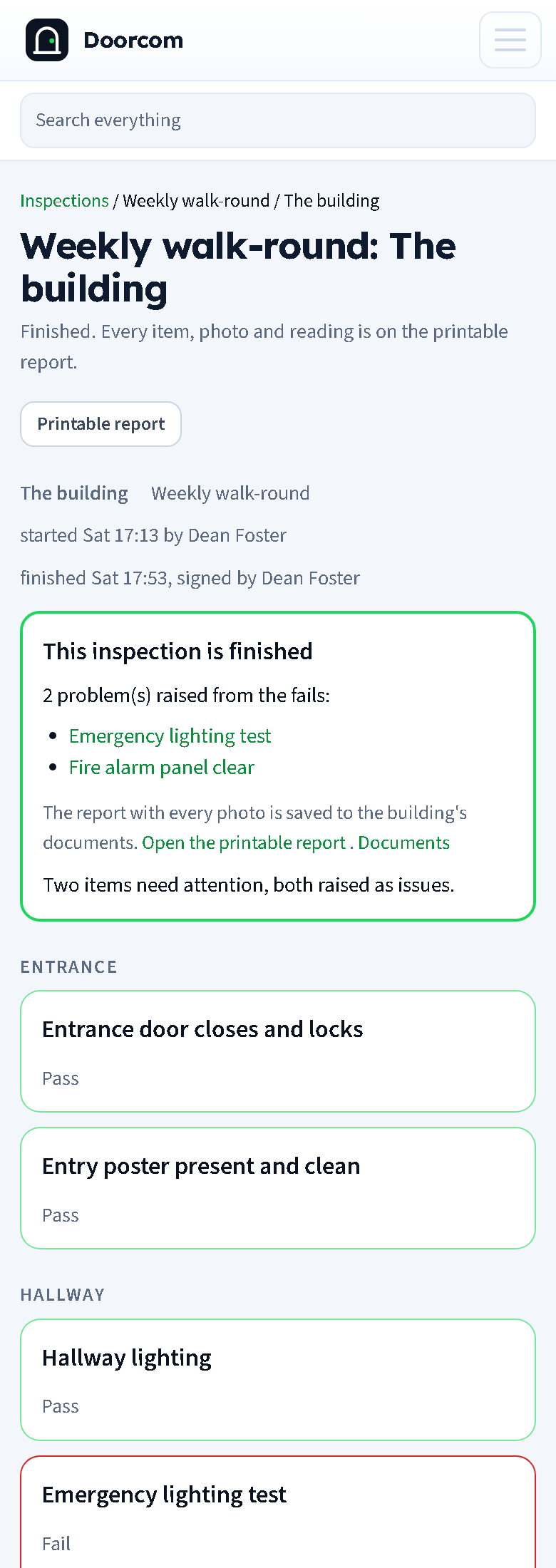
- Every fail becomes an issue, titled with the item, carrying the note and the photographs, against the property or the part of the building the section names. From there it is an ordinary problem: reply, send it to a trade, mark it fixed. See Issues.
- The report becomes a document against the property: every item with its result, notes, photographs and readings, signed and dated. The tenant sees it in their portal, and it counts in the documents coverage table.
- The residents are told that the report is there, and when a trade did the inspection the managers are told what it found.
- Print gives you the same page for a printer or a PDF.
A finished inspection is finished: the items cannot be edited afterwards, because a signed report that can be quietly changed is not worth signing. If it was wrong, do another one.
Letting a trade do it
When you send a job from an issue you can attach a checklist to it. The trade opens their job link, works down the list on their phone the same way, and signs it off in their own name — no login, no app. It comes back as a finished inspection with its photographs, and anything that failed is on the issues list. See Trades and jobs.