An option. The on-call rota comes with issue management, which an organisation switches on under Settings, Organisation.
The on-call rota
Water coming through a ceiling at eleven at night is not an email. The rota says who is told, on what, and what happens when they do not answer.
Rings are never affected. A visitor at the door always rings the resident's own phone, rota or no rota. This is only about urgent problems residents report.
What counts as out of hours
Each building has office hours — 09:00 to 17:30 to begin with, on the building's page under Settings. An urgent problem inside office hours goes to the managers the usual way. Outside them, the rota takes over.
The same place sets how long somebody has to acknowledge before it escalates: fifteen minutes to begin with.
The rota
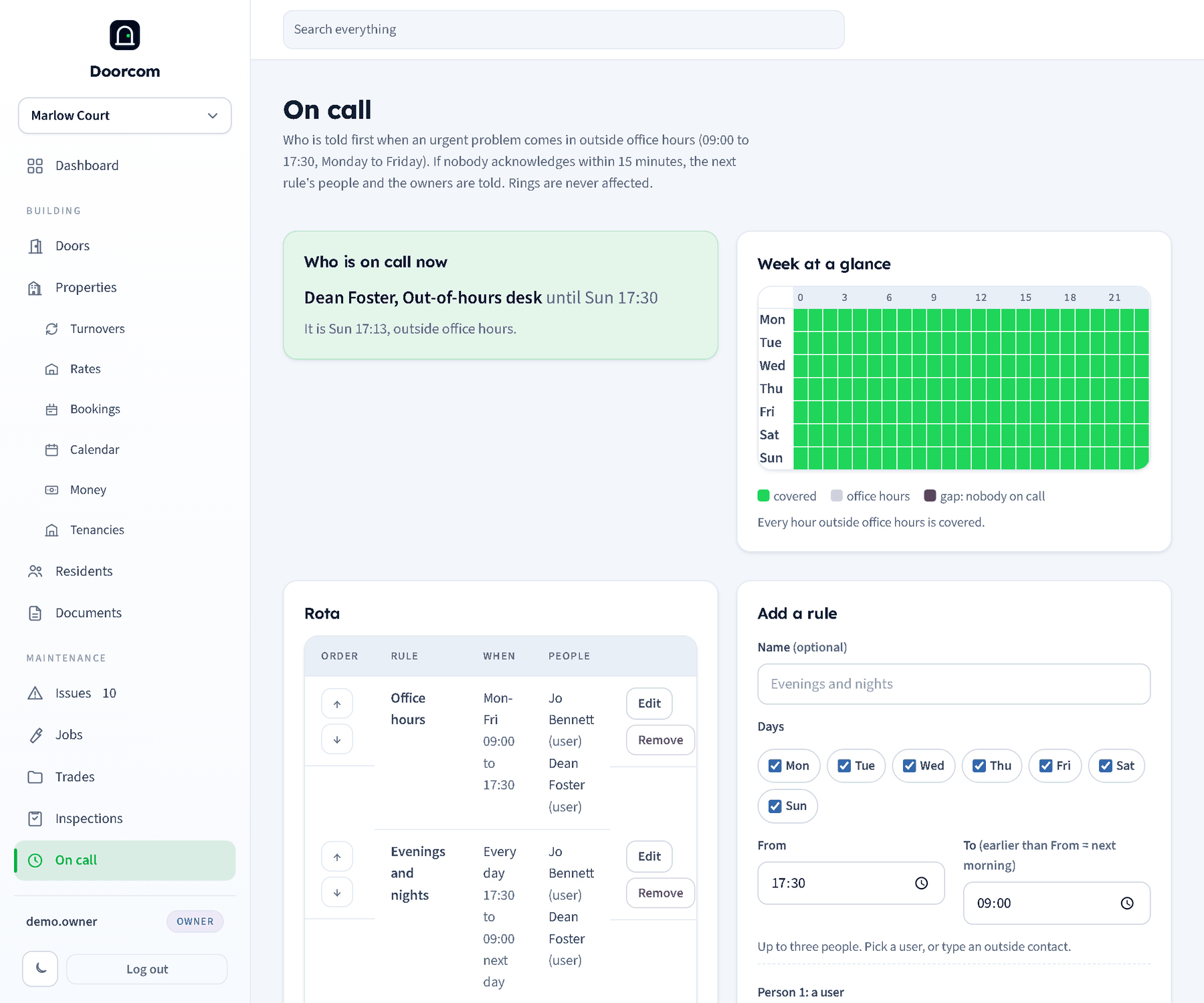
A rule is a name, some days, a time range and the people to tell. The range may run past midnight — 17:30 to 09:00 is the obvious one — and the rules are in an order you set with the arrows. The first rule that covers the moment is the one that gets the call; the one after it is where the problem goes if nobody answers.
A person on a rule is either one of your panel logins, in which case their mobile, email and Telegram come from their own record and stay right when they change, or somebody typed in by hand: a name with any of a mobile, an email or a Telegram chat. That is how the out-of-hours desk, the caretaker with the van, or a managing agent goes on the rota without being given a login.
Week at a glance is seven days by twenty-four hours: green where somebody is on call, grey for office hours, red where nobody is. The red is the useful colour. Most rotas have a Sunday afternoon in them that nobody noticed.
With no rota at all nothing is sent, and the dashboard says so plainly rather than leaving you to assume somebody is covering.
What happens when one comes in
- A resident reports a problem and ticks urgent, outside office hours.
- Everybody on the covering rule gets it — by text, email and Telegram, whichever they have — with the building, the problem, where it is, and a link.
- The first of them to open the link types their name and takes it. The issue is assigned to them, the managers are told who has it, and the thread records it.
- If nobody has acknowledged within the escalation time, the next rule's people and the owners are told, once. That is the whole escalation: one step, to somebody who can do something about it.
The acknowledge link needs no login, because somebody woken at two in the morning should not be hunting for a password. It is a one-off link to that one alert, and it says so plainly when it has already been answered by somebody else.
All of it lands on the issue's own thread and in the change log: who was told, when, who acknowledged, and whether it escalated. If it becomes an argument the next morning, the answer is written down rather than remembered.
Setting one up
- Put mobiles on your managers' logins under Users, or the rota has nothing to send to.
- Add a rule for evenings and nights, every day, 17:30 to 09:00, with the people who cover it.
- Add a second for the weekend, 09:00 to 17:30 on Saturday and Sunday.
- Check the week grid for red squares and fill them.
- Put the person who should pick up an escalation last in the order.
Office hours themselves need no rule: they are covered by the managers as usual.