An option. The calendar belongs to letting management, which an organisation switches on under Settings, Organisation. Without it the page is not there at all, and the door phone underneath carries on as normal.
The calendar
Flats down the side, days across, a bar for every stay. Bookings and tenancies share one grid, because the question a manager actually asks is "who is in flat 4 in March", not "which part of the system owns flat 4".
Reading it
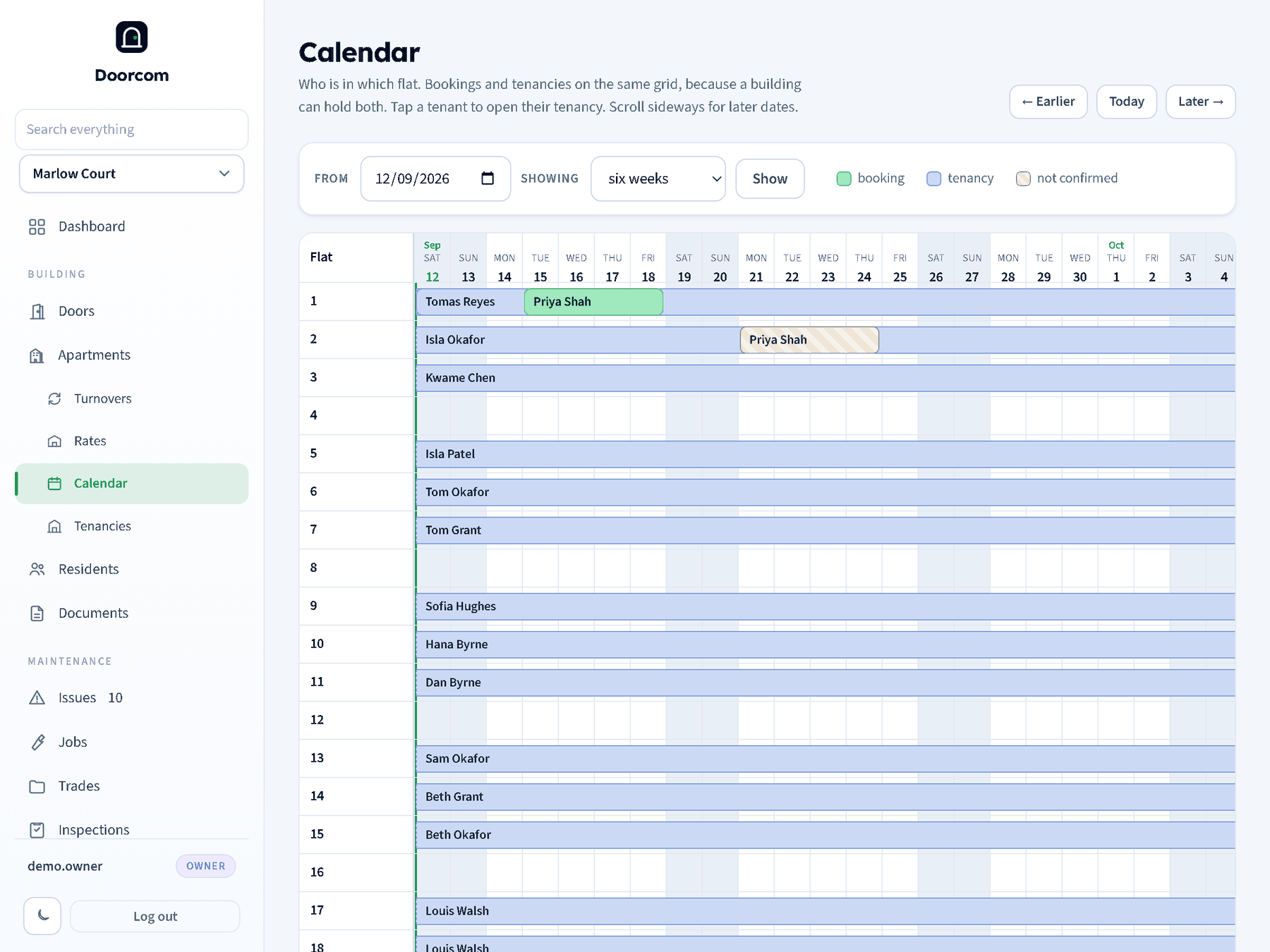
Every flat in the building gets a row, in the building's own order, whether or not anything is in it: an empty flat shows as a gap rather than disappearing. The flat column stays put while the days scroll sideways, and the day headings stay put while the flats scroll down. Today's column is marked, and weekends are shaded.
Bars are coloured by what they are. A tenancy runs from the day it started; one with nobody moving out has no right-hand end and runs off the edge of the window. A booking runs from the first night to the morning the guest leaves, so a bar that looks two days wide is two nights. A bar that started before the window, or carries on past it, is drawn open at that end rather than clipped to look finished. Hovering one gives the name, the flat, the dates and, for a booking, its reference and how many nights fall inside the window.
Tapping a tenant opens their tenancy: the term, the rent, what is owed, the deposit and the papers. Somebody who is on a flat without a written agreement opens their own record instead, and a booking has nowhere to go yet. A login that may not see tenancies or residents gets a bar that does not move, rather than a link to a page it would be refused.
A booking that has not been given a room yet is not dropped: it appears in a row of its own above the flats, so it cannot be forgotten.
Names follow the same rule as everywhere else in Doorcom: a login without permission to see residents' details gets "Tenant" and "Guest" on the bars instead of names.
Moving around
- Earlier, Today and Later step a window at a time.
- From jumps to a date.
- Showing is how much fits: a fortnight, a month, six weeks (the default) or three months. A longer window means narrower day columns, so pick the one that answers the question.
The window is in the address bar, so a particular view can be bookmarked or sent to somebody: /calendar?from=2026-04-01&days=30.
What it is drawn from
Nothing is stored twice. The calendar is worked out from the bookings and the tenancies that are already there, so a tenancy started on the Tenancies page or a booking taken anywhere shows up immediately. Cancelled bookings are left off; a booking still going through checkout appears as "not confirmed" so a room that is being held is not sold twice by accident.